

A “professional website” does not have to be expensive or complicated.
For most small businesses, a professional website means one thing: it helps customers understand what you do, trust you, and contact you without confusion.
If you are not getting enough calls, form fills, or quote requests, your website may simply be missing a few key pieces.
Below is a plain-English checklist you can use to spot the biggest opportunities.
What “Professional” Really Means (For a Small Business)
A professional website is not about fancy features. It is about:
- Clear messaging (people understand what you do fast)
- Trust (people feel comfortable reaching out)
- Easy next steps (people know exactly what to click)
- A good mobile experience (most visitors are on phones)
The Professional Small Business Website Checklist
Use this as a “quick audit.” You do not need to do everything at once — start with the items that impact clarity and contact.
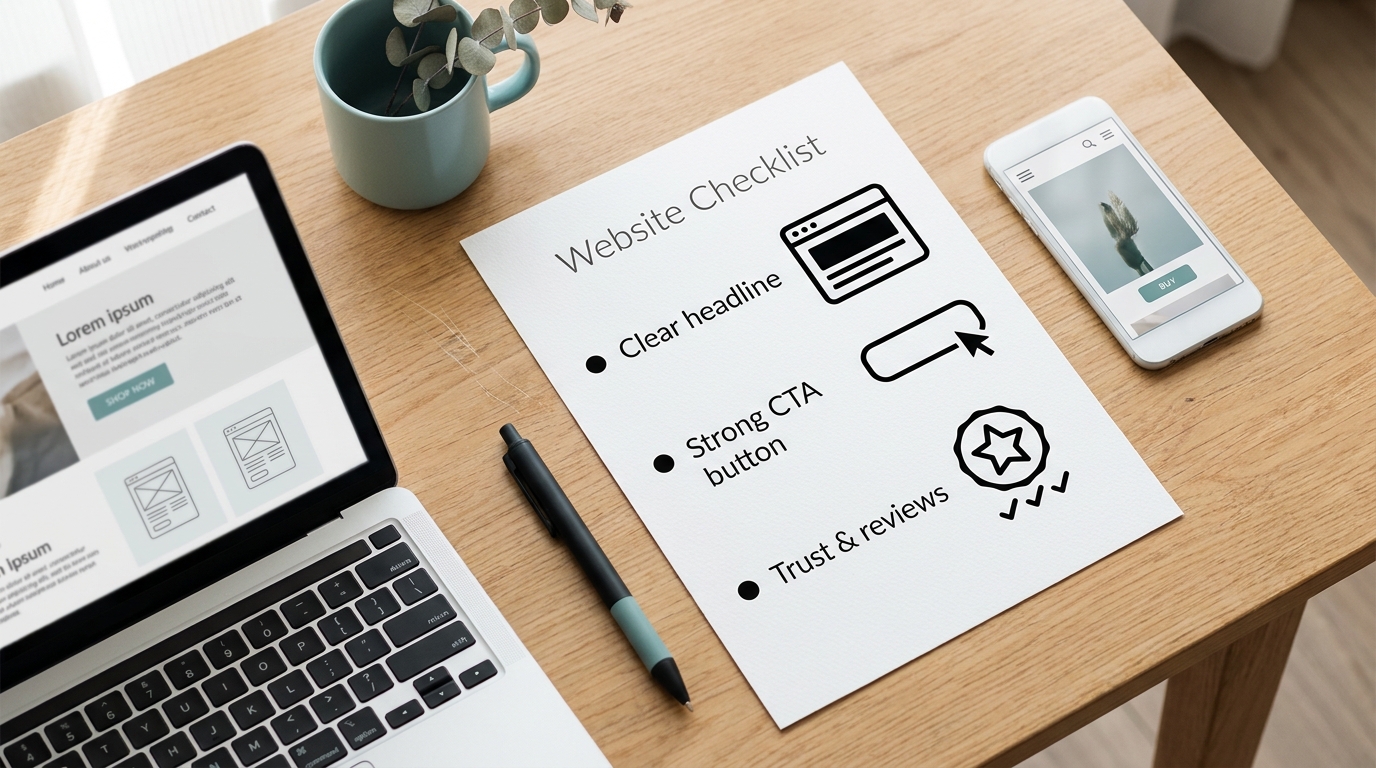
1. A Clear Homepage Headline (Above the Fold)
Your homepage should answer within five seconds:
- What do you offer?
- Who do you help?
- Where do you serve (if local)?
- What should someone do next?
Before: “Welcome to our website.”
After: “Website Design + Maintenance for Small Businesses in Orange County.”
What to do next:
- Use simple words (no jargon)
- Mention the service and the audience
- Keep it short enough to read on a phone
2. One Strong Call-to-Action
Most small business websites need one main action:
- Request a quote
- Book a call
- Contact you
- Call now
Buttons like “Submit” and “Learn More” are often too vague.
Try button text like:
- Request a Website Quote
- Ask a Question
- Schedule a Quick Call
3. A Quick Services Overview
If you’re starting from scratch, professional website design helps you get the right structure and messaging from day one.
Visitors should not have to hunt around to understand what you offer.
A simple services section can include:
- 3–6 Service blocks
- One sentence per service
- A link to a detailed service page
Example:
- Website Design
- Website Redesign
- Website Maintenance
- Local SEO / Google Business Profile
4. Trust Signals Near the Top
Trust signals help visitors feel safe contacting you.
Good trust signals include:
- Reviews or testimonials
- “Featured in” logos (if applicable)
- Portfolio examples
- Years in business
- Certifications
- Service area
Quick win: Add 1–2 testimonials right below your services section.
5. A Portfolio or Work Examples Page
Small business clients want to see proof.
A portfolio page does not need to be huge — 4–8 strong examples is enough.
Each example should show:
- What the business needed
- What you improved
- The result (even if it is a qualitative result like “clearer messaging”)
Not sure what ‘professional’ looks like? Here are a few recent examples in our portfolio.
6. An About Page That Builds Confidence
An About page should answer:
- Who is behind the business?
- Why should someone trust you?
- What is your approach?
- What is the next step?
Simple format:
- 2–3 short paragraphs
- A friendly photo (optional but helpful)
- A few credibility bullets
- A call-to-action
7. A Contact Page That Is Easy
A good contact page includes:
- A short form (only what you need)
- Email and/or phone (if you want it used)
- Service area (if local)
- A clear “what happens next” message
Example:
“Send a message and you will hear back within 1–2 business days. If it is urgent, call or text.”
8. Mobile-Friendly Layout and Readable Text
Common mobile issues:
- Text too small
- Buttons too close together
- Long paragraphs
- Slow load times
Quick win: Open your site on your phone and try to contact yourself. If it feels annoying, it will feel annoying to customers too.
9. Basic SEO and Local Clarity
For small businesses, the basics matter most:
- Clear page titles
- A clear main heading and logically organized subheadings
- Service + location language (when relevant)
- Contact info that matches your Google Business Profile
- Internal links between related pages
10. A Maintenance Plan (Even if It Is Simple)
A website should be cared for.
If your site is WordPress, you want a plan for:
- Updates
- Backups
- Security
- Form testing
- Broken link checks
This helps prevent “quiet problems” that hurt leads.
If you’d rather not worry about updates, backups, and security, a simple website maintenance plan keeps things running smoothly.
Common Mistake to Avoid
One common mistake is trying to sound “fancy” instead of being clear.
A website that uses simple words and shows proof will usually outperform a website full of vague marketing language.
What to Do Next (Simple)
Start with these three:
- Rewrite your homepage headline.
- Update your main button text.
- Add one strong trust section (testimonial + portfolio link).
Kreative Mojo Design can help you prioritize improvements to clarity, trust, and usability. Ask us to review your website.
Key takeaways
- A professional website is about clarity, trust, and easy next steps.
- Your homepage headline should explain what you do fast.
- Every site needs one clear call-to-action.
- Proof (reviews + portfolio) builds confidence.
- Mobile readability matters more than most people think.
FAQs
What should a small business website include?
At minimum: a clear homepage headline, services overview, trust signals, portfolio or examples, an about page, and an easy contact page.
How many pages does a small business website need?
Many small businesses do well with 5–8 core pages (Home, Services, About, Portfolio, Contact, plus a few service detail pages).
Do I need a full redesign to look professional?
Not always. Many websites can look and perform better with updates to messaging, layout, trust signals, and mobile formatting.